
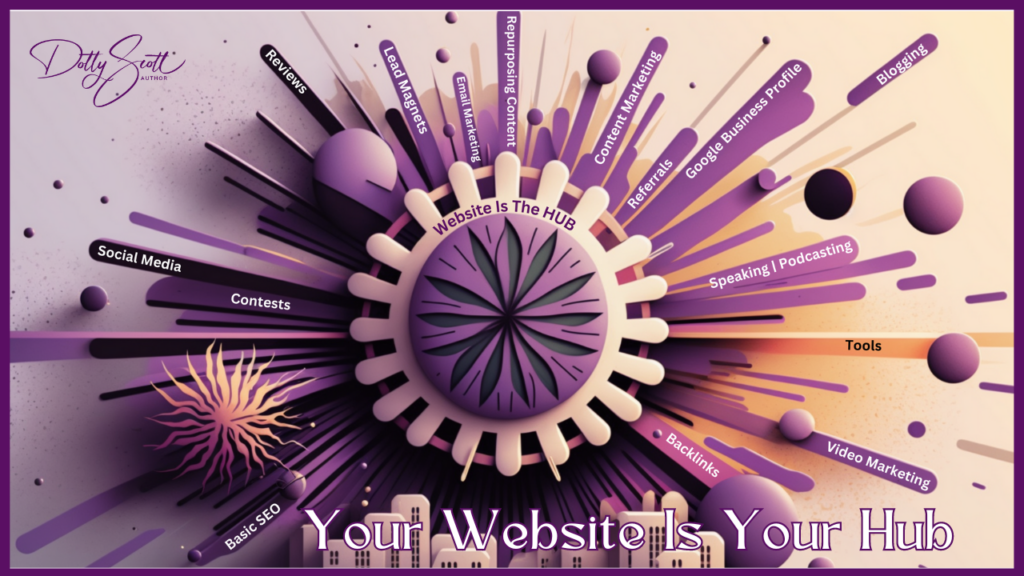
What is an Online Hub?
Key Takeaways
- Make your website the home base for your online marketing.
- Give visitors a clear next step and test it on your phone.
- Use tools such as a CRM, map, or scheduler when they suit your business.
- Keep control of your domain, website, and contact list.

Table of Contents
Watch Chapter 1: Your Website Is Your Hub
A Simple Website Check
Open your website on your phone and choose one action you want an ideal client to take, such as contacting you, scheduling a call, or buying a book. Is that next step easy to find? Follow it and make sure the form, confirmation, and destination work.
Keep access to your domain, hosting, website, and email list secure and under your control. If you use a mailing platform, know how to export your contacts.
These chapters are designed to go together OR stand alone. If you found this one on Google and want to read the others, here are the links to the other chapters.
- Chapter 1: Your Website Is Your Hub
- Chapter 2: Lead Magnets | Email Marketing
- Chapter 3: Basic Search Engine Optimization
- Chapter 4: What Are Backlinks?
- Chapter 5: Google Business Profiles
- Chapter 6: Reviews
- Chapter 7: Speaking | Podcasting
- Chapter 8: Content Marketing
- Chapter 9: What Is Blogging?
- Chapter 10: Social Media
- Chapter 11: Video Marketing
- Chapter 12: Repurpose Your Content
- Chapter 13: Awards & Contests
- Chapter 14: Referrals
- Chapter 15: Necessary Online Tools